 Sip Siren
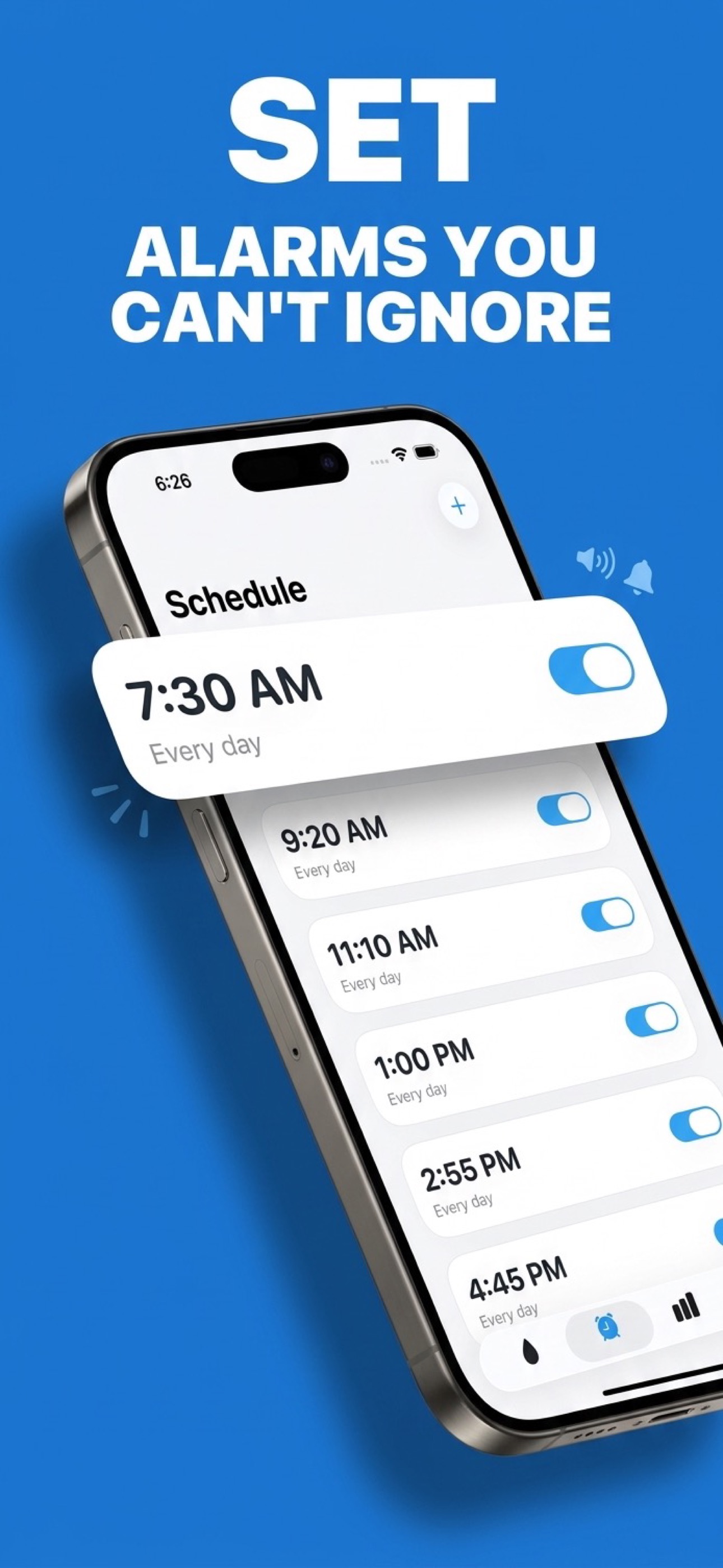
Set your schedule
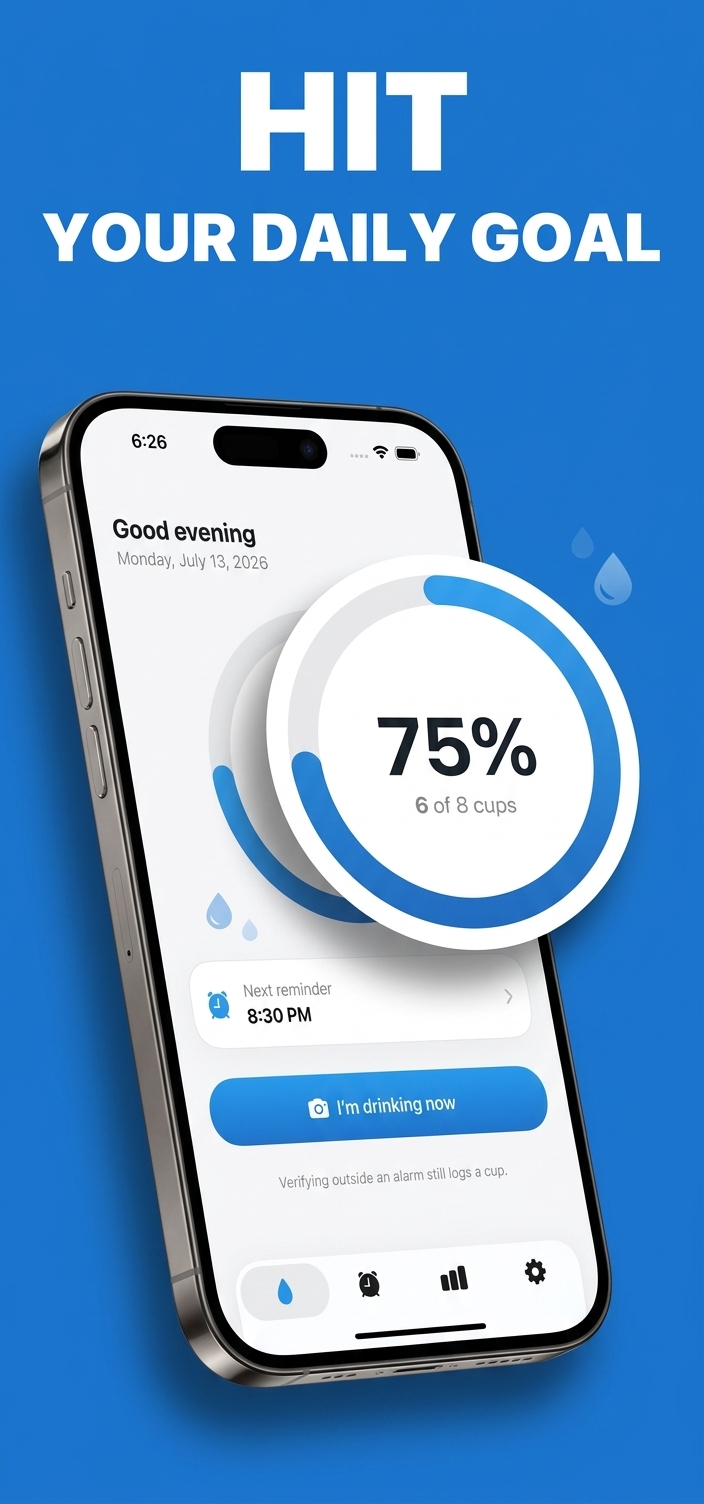
Pick your daily water goal and the times you want to be reminded to drink. Sip Siren handles the rest.
Sip Siren sets real iPhone alarms that ring through Silent mode — and they won't stop until we verify a short video of you actually drinking water. No more swiping away reminders. Just real hydration, every day.

3-day free trial · iPhone · iOS 26+
Notifications are easy to ignore. Sip Siren turns drinking water into a habit you can't skip — in four simple steps.
Pick your daily water goal and the times you want to be reminded to drink. Sip Siren handles the rest.
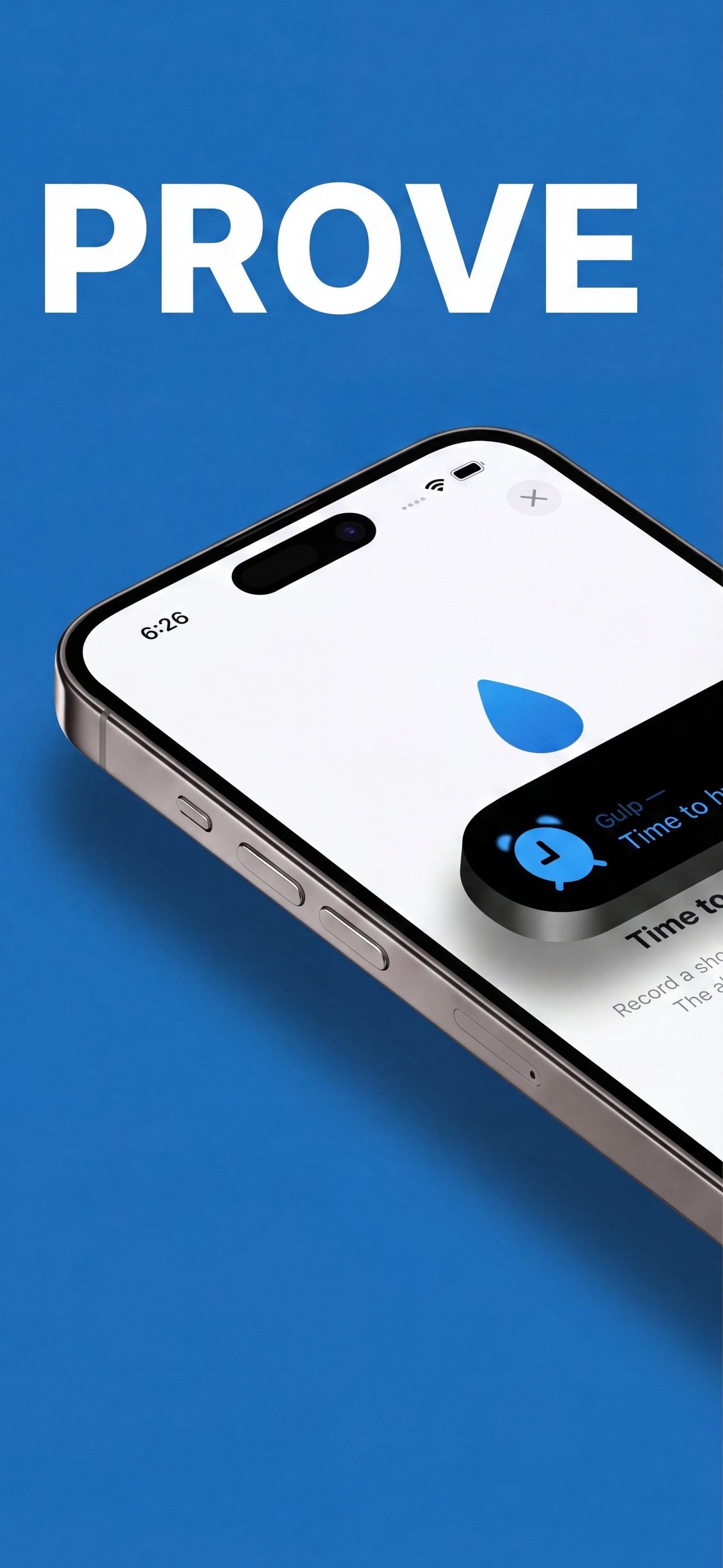
Sip Siren fires a true iOS alarm that breaks through Silent mode and Focus, just like your wake-up alarm.
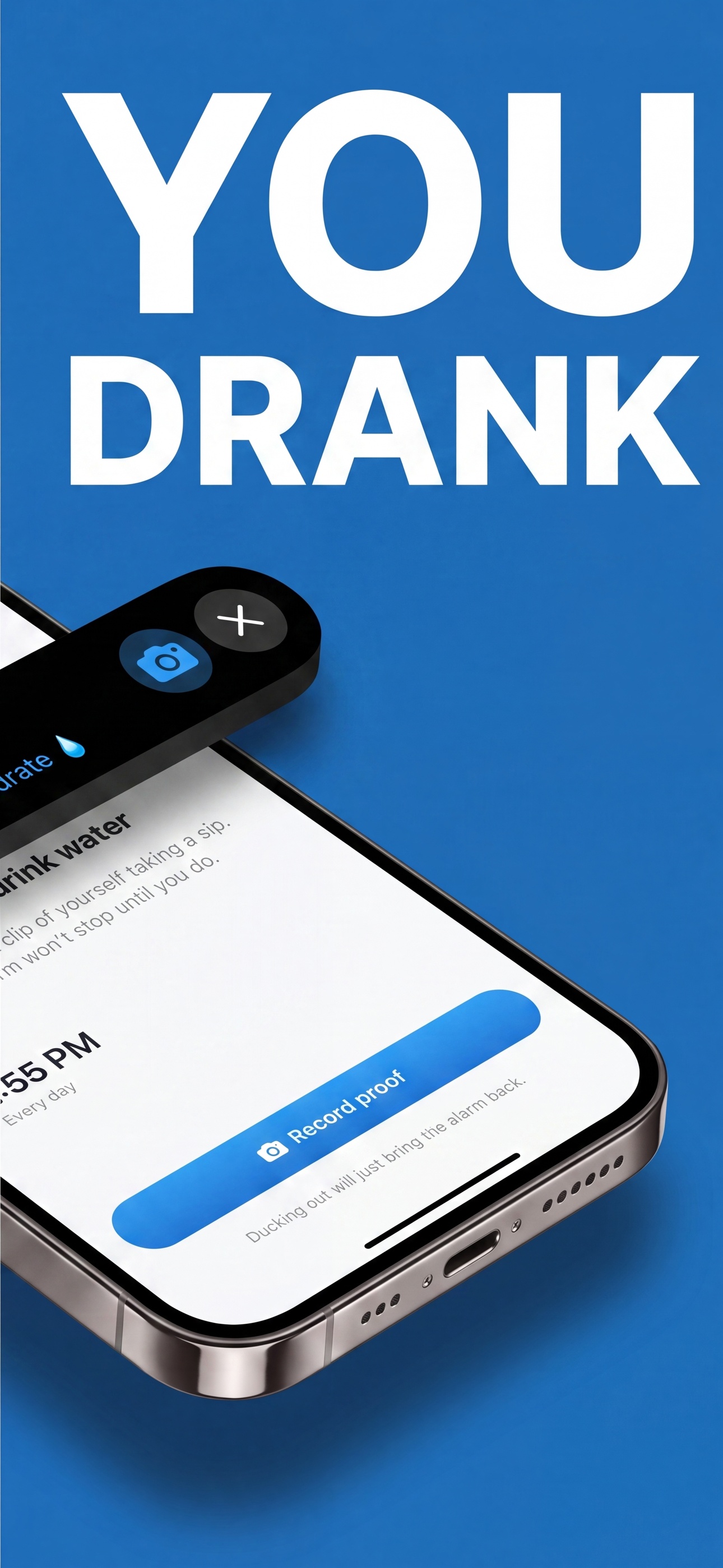
Tap Drink Now and record a quick ~3-second clip of yourself taking a sip. That's it.
We confirm the drink, log your cup, and grow your streak. Dismiss without proof? The alarm comes right back.
It's called notification blindness, and it's the reason your hydration app is still installed but no longer doing anything.
A push notification is a request. It arrives with no consequence for ignoring it, and dismissing it takes about half a second — less time than it takes to decide whether you want water. The swipe itself is the trap: your brain gets the tiny relief of clearing the badge, and that relief is the reward. You've just been paid for not drinking.
Repeat that loop twelve times a day for a week and the notification stops registering as information at all. Apps like Waterllama and Plant Nanny are well designed and genuinely fun for the first few days — but they're built on the same passive channel every other app on your phone competes in, alongside Slack, Instagram and your delivery driver. The habit doesn't fail because the app is bad. It fails because nothing happens when you ignore it.
The second failure is logging. Tapping "+1 cup" is a self-report, and self-reports drift. It's trivially easy to tap the button while walking past the sink, and within two weeks your streak measures how reliably you tap a button, not how much water you drank.
Sip Siren removes both failure points. The reminder isn't a notification — it's a real iOS alarm scheduled through Apple's AlarmKit framework, so it rings through Silent mode and Focus like your wake-up alarm and cannot be quietly cleared. And the log isn't a tap — it's a ~3-second video of you actually taking a sip. The alarm only stops once that drink is verified. Dismiss it without proof and a fresh alarm re-arms about a minute later. Drinking becomes the shortest path to silence.
If you've ever looked up from a task at 4pm and realised you haven't had water since breakfast, this section is about you.
ADHD makes elapsed time genuinely hard to feel. "I'll get water in a minute" and three hours are the same subjective distance, so interval-based intentions collapse — there's no internal clock ticking to trigger the next drink.
An external, unmissable time signal does the job your sense of time won't. That's not a discipline problem; it's a scaffolding problem.
During hyperfocus, physiological signals get filtered out entirely — thirst, hunger, needing the bathroom, fatigue. You don't override the signal; you never receive it. Waiting until you feel thirsty is not a strategy that's available to you.
By the time thirst finally breaks through, you're already carrying the headache and the 3pm crash that mild dehydration causes.
A banner notification is exactly weak enough to be absorbed by hyperfocus without ever reaching your attention. It's the wrong intensity of signal for the state you're in.
A ringing alarm is a different category of interrupt — and requiring a short video to silence it forces you to physically stand up, pick up the glass and drink. The task is completed at the moment of interruption instead of being deferred into a "later" that never arrives.
Most reminder systems fail ADHD users because they end at the reminder, leaving the action to be initiated separately. Sip Siren fuses the two: the alarm doesn't stop when you acknowledge it, it stops when the water is in you. There's no gap between the prompt and the task for the intention to fall into.
There are only three real mechanisms for making yourself drink more water. Two of them ask you to cooperate. Here's how they actually compare.
| Mechanism | Passive push notifications Waterllama, Plant Nanny, iOS Reminders |
Smart water bottles HidrateSpark and similar Bluetooth bottles |
Sip Siren Forced AlarmKit alarm + video proof |
|---|---|---|---|
| How it reaches you | A banner in your notification stack, competing with every other app | A glowing bottle — only if it's in the room and you happen to look at it | A real iOS system alarm scheduled through Apple's AlarmKit |
| Silent mode & Focus | Suppressed — silenced or summarised exactly when you're deep in work | Not applicable, but equally easy to miss | Rings through Silent and Focus, like your wake-up alarm |
| How a drink gets logged | You tap "+1 cup" — an unverified self-report you can tap without drinking | Sensor measures the water leaving the bottle, not the water reaching you | A ~3-second video of you actually taking a sip, verified before it counts |
| Cost of ignoring it | Zero. One swipe and it's gone — and the swipe itself feels good | Zero. The bottle blinks at an empty desk | The alarm re-arms about a minute later until a drink is verified |
| What breaks it | Notification blindness — usually within the first week | Bluetooth pairing drops, dead batteries, hand-washing, and leaving the bottle at home | Nothing to pair or charge — it's your phone, the alarm you already trust, and your camera |
| What it costs | Free, but it stops working | $60–$90 of hardware you have to remember to carry | Free to download, 3-day free trial, no hardware |
| Privacy | Varies by app | Bottle usage synced to a vendor account | Clips are used only to confirm your sip — never published or shared |
Everything you need to know about the drink water reminder that keeps you honest.
A forced water reminder is a hydration prompt you can't dismiss without completing the action. Instead of a push notification you swipe away, it fires a real system alarm that keeps ringing — through Silent mode and Focus — until you prove you actually drank. Sip Siren implements this on iPhone using Apple's AlarmKit for the alarm and a ~3-second video of you taking a sip as the proof. Behaviourally it's a forcing function: drinking the water becomes the shortest path to silence, so the habit doesn't depend on willpower or on remembering.
Yes. Alarms are a special class of interruption on iOS: a true system alarm sounds even when the ringer switch is off, the volume is down, or a Focus mode is active — which is why your morning alarm still wakes you. Regular app notifications don't get this treatment; they're silenced or bundled into a summary. Sip Siren schedules its hydration reminders through Apple's AlarmKit framework (iOS 26+), so every water alarm rings with the same authority as your wake-up alarm rather than arriving as a banner you'll never see.
Stop relying on internal cues, because with ADHD they're the part that isn't working. Time blindness means "in a minute" and three hours feel identical, and during hyperfocus interoceptive signals like thirst are filtered out before you ever notice them — so both the timer and the thirst are unavailable to you. What works is an external cue strong enough to break flow, paired with immediate completion so the task can't be deferred. A banner notification fails both tests. A ringing alarm that only stops once you've recorded yourself drinking passes both: it interrupts hyperfocus, and the water is in you before the alarm ends. See our hydration for ADHD and hyperfocus section for the full breakdown.
Notification blindness. Dismissing a banner takes about half a second and carries no consequence, and clearing it gives your brain a small hit of relief — so you're literally being rewarded for not drinking. After a week of that loop the notification stops registering as information at all. It's not a discipline failure; it's the wrong mechanism. A reminder only survives if ignoring it costs something, which is why Sip Siren uses an alarm that re-arms about a minute later instead of a notification that disappears.
Smart bottles like HidrateSpark solve measurement, not motivation. They track what leaves the bottle accurately, but they still depend on Bluetooth staying paired, the battery being charged, and the bottle being with you — and a glowing bottle on a desk you're not looking at is just as ignorable as a banner. They also can't tell whether you drank the water or poured it out. Sip Siren skips the hardware entirely: your phone fires the alarm, and a short video verifies the water actually reached you. See the full mechanism comparison.
For most healthy adults, a practical starting point is half your body weight in pounds, drunk as ounces — about 80 oz (2,365 mL, or 10 cups) for a 160 lb person. Then add roughly 12 oz for a moderately active day or 24 oz for intense exercise, increase the total by about 15% in hot and humid weather, and add about 6 oz per cup of coffee or energy drink. Our free water intake calculator does all four steps for you and tells you how often to sip.
Most hydration apps send a notification you swipe away and forget. Sip Siren sets real iOS alarms that break through Silent mode and Focus, and the alarm only stops after we verify a short video of you actually taking a drink. It's a water reminder with built-in accountability.
Apps like Waterllama and Plant Nanny rely on push notifications and manual taps to log water, which are easy to swipe away or tap without actually drinking. Sip Siren fires a real iOS alarm that rings through Silent mode and Focus, and it only stops after you record a short video verifying you took a real sip. The difference is accountability: standard trackers ask you to remember, while Sip Siren makes you prove it.
When your water alarm fires, you tap Drink Now and record a roughly 3-second clip of yourself taking a sip. We securely analyze the clip, and only a verified drink logs your cup and stops the alarm.
Sip Siren re-arms a fresh alarm about a minute later. Dismissing without proof just brings the reminder right back, so the only way to silence it for good is to actually drink water.
Yes. Sip Siren uses Apple's AlarmKit to schedule true system alarms, so your hydration reminders ring through Silent mode and Focus, just like your morning alarm.
Sip Siren requires an iPhone running iOS 26 or later, since it's built on Apple's AlarmKit alarm framework and the camera for drink verification.
Your clips are used only to verify that you drank. They're sent over a secure connection for analysis and are not published or shared. See our Privacy Policy for full details.
Yes. You choose your daily water goal and when reminders fire. Sip Siren tracks every verified cup, shows your progress ring, and builds your hydration streak day by day.
Sip Siren is free to download and offers Weekly and Yearly auto-renewable subscriptions, both with a 3-day free trial for eligible users. Pricing is shown in the app and on the App Store before you purchase. Try it free, set your first water alarm, and start proving your sips today.
Download Sip Siren and turn hydration into a streak you'll actually keep.